Invoicing and payments for wedding photographers and videographers Know who owes what, and get it paid.
Invoices and payment schedules from your own templates, card payments processed by Stripe, and no surcharge for Amex, Discover or autopay.
Every invoice
What was sold, what is paid, what is next.
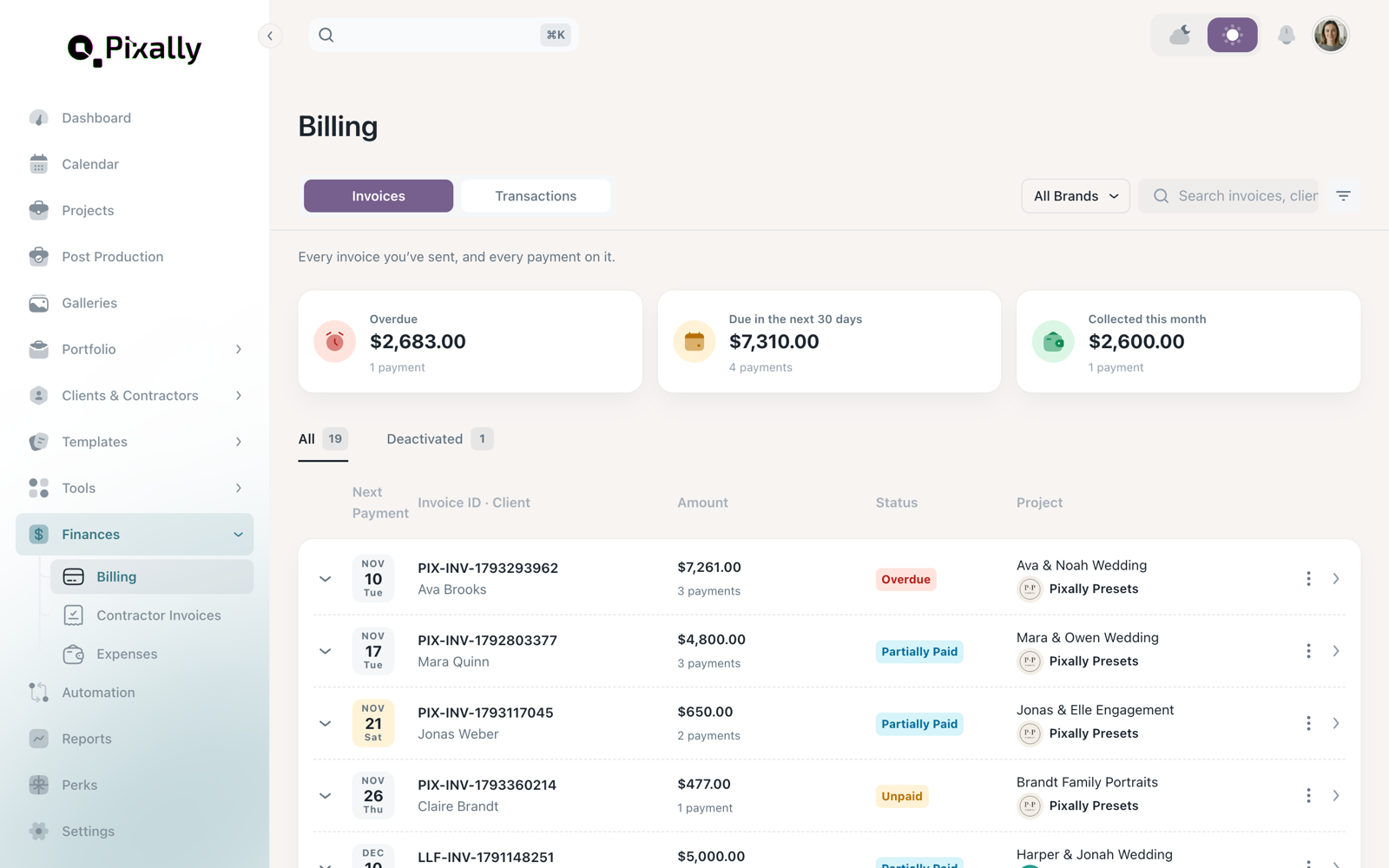
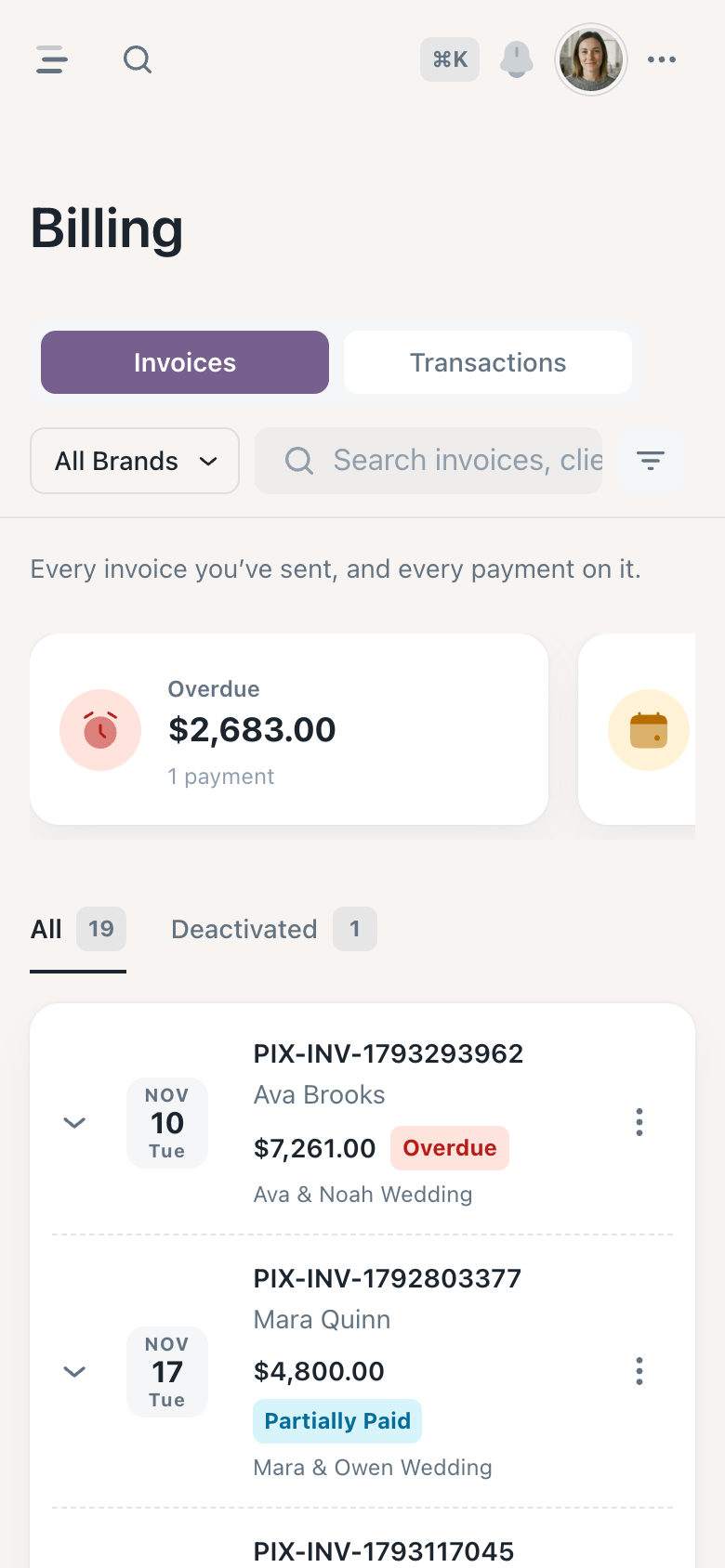
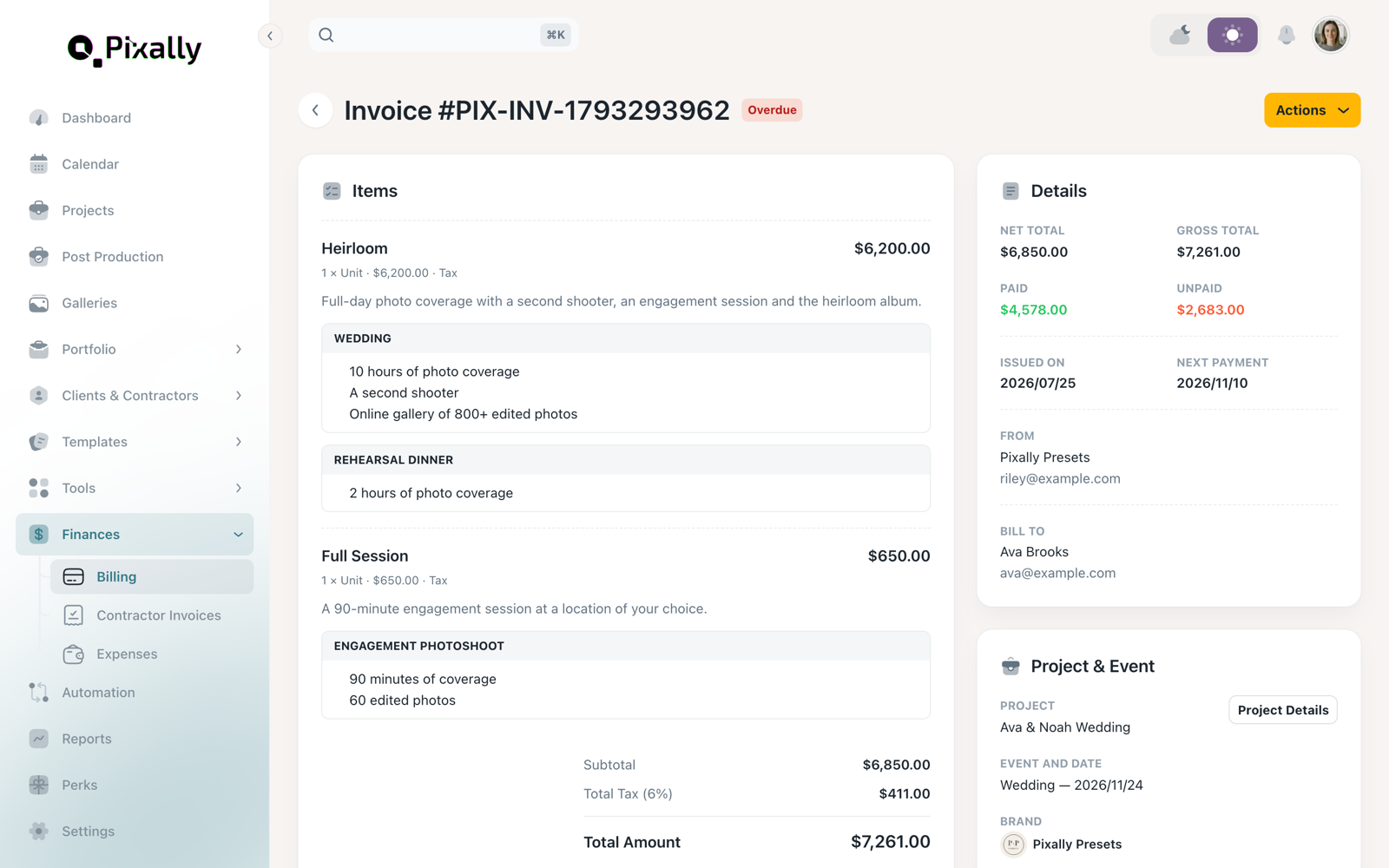
Open an invoice and see its items, the tax, the net and gross totals, what has been paid, what is still owed and the next payment due, with the project and event it belongs to.
The billing page totals what is overdue, what is due in the next 30 days and what you have collected this month, across every brand or one at a time.
Your templates
Your invoice, laid out your way.
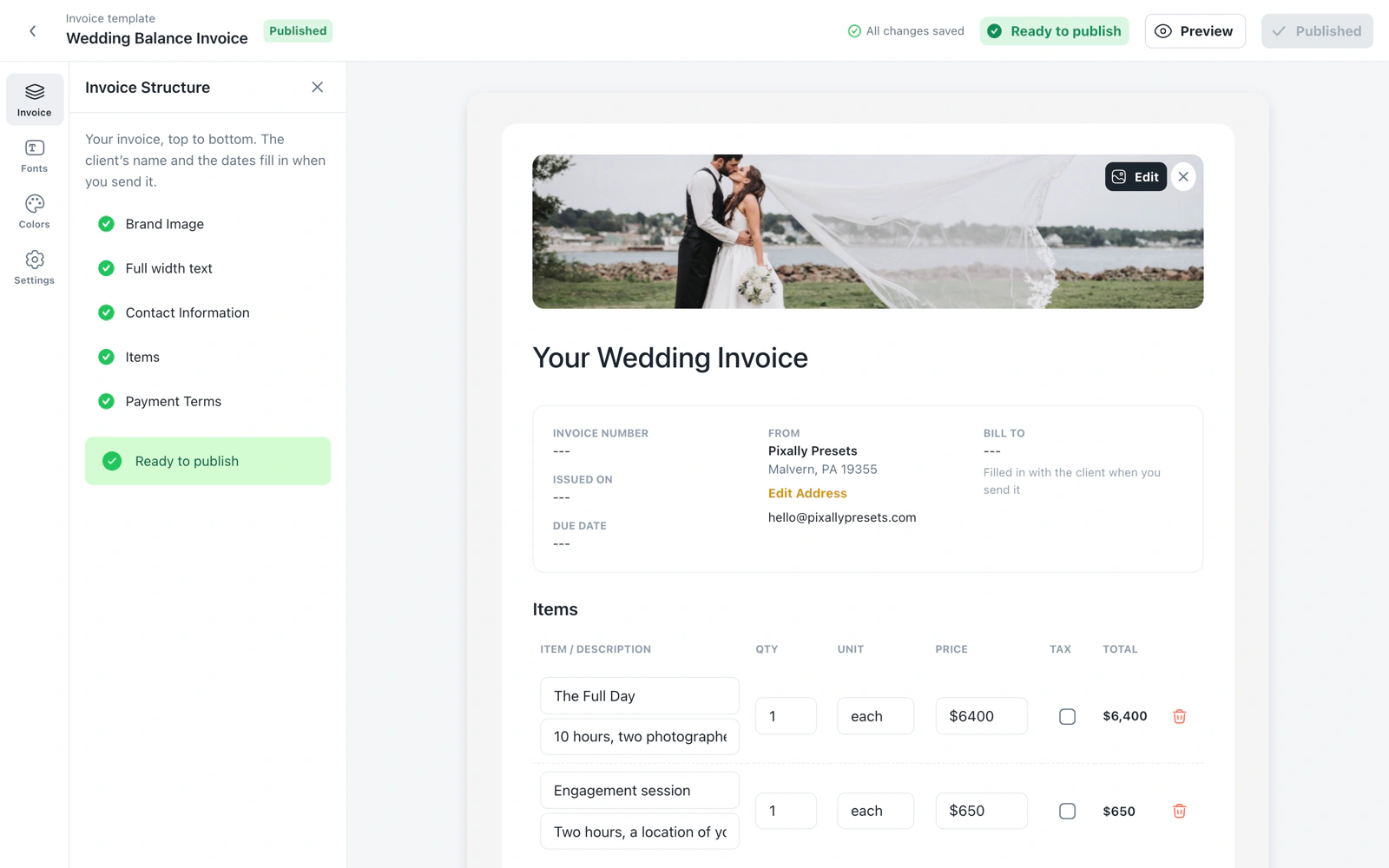
Build an invoice from blocks: your brand image, text, your contact information, the items with their quantity, unit, price and tax, and your payment terms.
Save it as a template, alongside your payment schedules, and each template shows how many times it has been used.
Already have an invoice you like? On a paid plan, drop it in and Pixally's AI sets it up as a template for you to check.
What payments cost
Card rates, published. No surcharge for Amex.
Client payments are processed by Stripe, and the fee is taken from each payment before it is paid out to you. In the US a card payment costs 2.9% + 30¢ on Basic, Pro and Studio, and 3.4% + 30¢ on Free. Amex and Discover cost the same as other cards, and there is no extra fee for autopay or card-on-file payments.
A bank transfer costs 1% on Free and Basic, with no cap, and 0.8% on Pro and Studio, capped at $12 a payment on Pro and $8 on Studio.
Add sales tax by hand on every plan, or let Pixally work it out on Pro and Studio.
Some payments cost more than the standard fee, such as cards issued outside the US, currency conversion or manually entered cards. The Terms of Service list them.
| Free | Basic | Pro | Studio | |
|---|---|---|---|---|
| Card processing rate | 3.4% + 30¢ | 2.9% + 30¢ | 2.9% + 30¢ | 2.9% + 30¢ |
| Bank payments | 1%, no cap | 1%, no cap | 0.8%, max $12 | 0.8%, max $8 |
| No Amex or Discover surcharge | Included | Included | Included | Included |
| No autopay / card-on-file surcharge | Included | Included | Included | Included |
| Sales tax | Manual | Manual | Automatic + manual | Automatic + manual |
| SMS (text) reminders | Not included | Not included | Included | Included |
| Accounts Receivable report | Not included | Not included | Included | Included |
| QuickBooks Online | Not included | Not included | Included | Included |
Payments by plan, in the US
- Card processing rate
- Free3.4% + 30¢Basic2.9% + 30¢Pro2.9% + 30¢Studio2.9% + 30¢
- Bank payments
- Free1%, no capBasic1%, no capPro0.8%, max $12Studio0.8%, max $8
- No Amex or Discover surcharge
- FreeIncludedBasicIncludedProIncludedStudioIncluded
- No autopay / card-on-file surcharge
- FreeIncludedBasicIncludedProIncludedStudioIncluded
- Sales tax
- FreeManualBasicManualProAutomatic + manualStudioAutomatic + manual
- SMS (text) reminders
- FreeNot includedBasicNot includedProIncludedStudioIncluded
- Accounts Receivable report
- FreeNot includedBasicNot includedProIncludedStudioIncluded
- QuickBooks Online
- FreeNot includedBasicNot includedProIncludedStudioIncluded
FAQ
Invoices and payments, answered
What does Pixally charge to process card payments?
In the US, 2.9% + 30¢ per card payment on Basic, Pro and Studio, and 3.4% + 30¢ on Free. Payments are processed by Stripe.
What does a bank transfer cost?
1% on Free and Basic, with no cap. 0.8% on Pro, capped at $12 a payment, and 0.8% on Studio, capped at $8.
Is there a surcharge for Amex, Discover or saved cards?
No. Amex and Discover cost the same as other cards, and there is no extra fee for autopay or card-on-file payments.
Can Pixally work out sales tax?
You can add sales tax by hand on every plan. On Pro and Studio, Pixally can work it out for you.
Does Pixally connect to QuickBooks?
Yes. QuickBooks Online connects on Pro and Studio.
Keep reading
Related
Field notes
- Wedding Photographer Credit Card Fees: What Visa, Mastercard and Seven States Allow
- Client Won't Pay the Balance? What Ten States Let a Wedding Photographer Do
- Retainer vs Deposit: How to Structure Wedding Payments and Actually Get Paid
- Wedding Photography Sales Tax: How One USB Drive Can Make an Entire Package Taxable, Shooting Time Included
Run your next season in one place.
Start on the Free plan, and bring your studio with you.
- Free plan
- No card needed
- Free AI import from your old CRM